How private is Loom?
Loom's agents run on your own Mac, in a real browser, on your own connection. Here's what that means for your data, in plain words, and how it compares with other personal AI agents. The legal version is our privacy policy.
What stays on your Mac
- Your agents run here. They browse in a real browser on your Mac, not on a server somewhere else.
- Your sign-ins. Website sign-ins, cookies and passwords stay on your Mac. You sign in to sites yourself; agents never see your passwords. Secrets are kept in your Mac's Keychain.
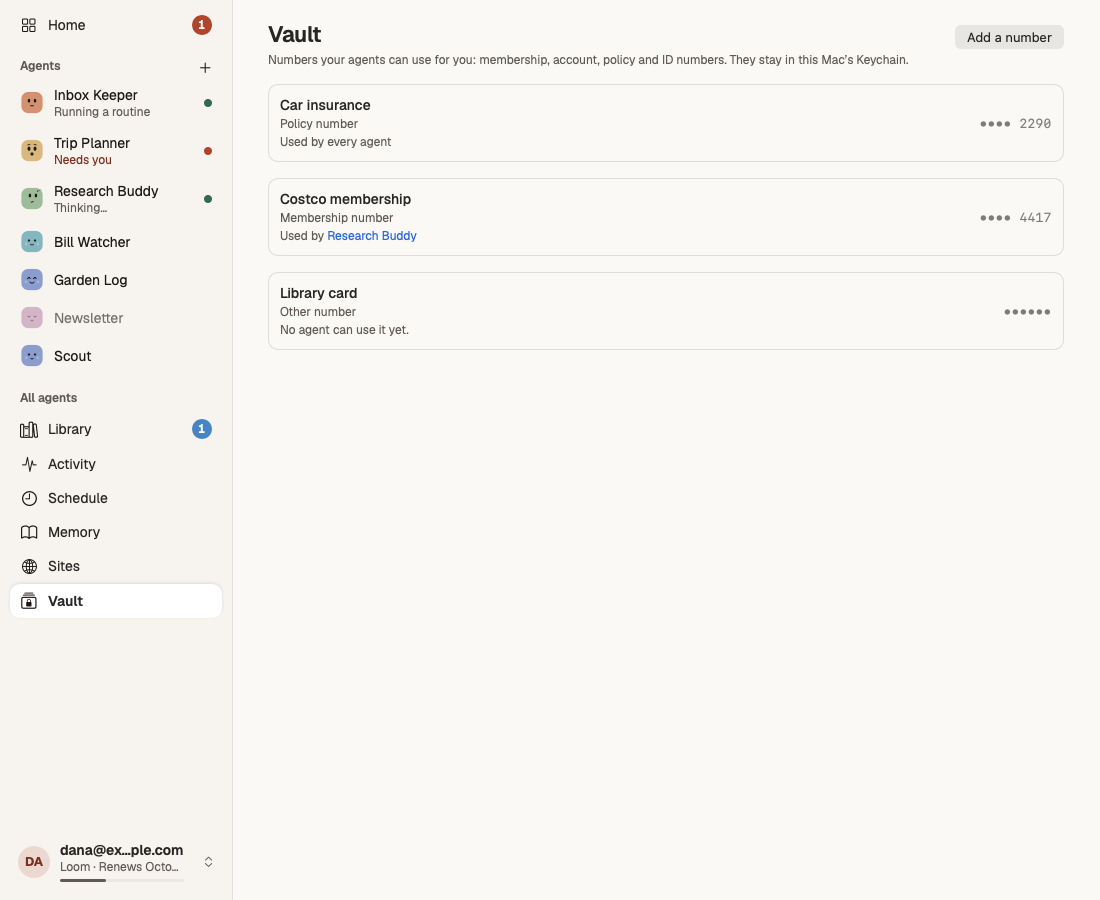
- Your Vault. Membership, policy and account numbers stay in the Keychain, typed only on the sites you allow.
- Your files, memory and records of what your agents did.
- Your Google data. Gmail and Calendar are read on your Mac. The long-lived Google sign-in lives in your Keychain; our sign-in service holds it, encrypted, only until your Mac collects it once.
How the agent's browser works
- A real browser, on your Mac. Each agent has its own built-in browser that runs on your Mac and your internet connection, the way you'd browse. There's no cloud browser and no remote computer.
- It works in the background. The agent's browser has no window of its own. Every step it takes, the pages it visited and what it did there, is recorded in the chat and in Activity, so you can see exactly what happened.
- You sign in, not the agent. When an agent needs your account on a site, Loom opens a visible window where you sign in yourself, with the site's address always shown. The agent never sees your password, the sign-in is used only by that agent, and it stays on your Mac.
- Site rules. For each site and each agent, you choose whether it may look and read, fill in forms, or submit. Anywhere else it may look, but must ask before typing or submitting.
- Vault numbers stay hidden. An agent sees only the names of the Vault items it may use, never the numbers. Loom types the number into the page itself, only on the sites that item is tied to, and removes it from anything the agent reads back.
- Human checks go to you. When a site asks you to prove you're human, Loom opens the page in a window for you to do it. The agent never tries to get around it.
What leaves your Mac, and why
- Model calls. When an agent needs a model, only what that call needs is sent to the model, which Cloudflare runs for us. It passes through our service while it runs; we don't store it or log it, and it isn't used to train models.
- Billing figures. For each call: the amount, the time, and random ids for the agent and run. Never what was said.
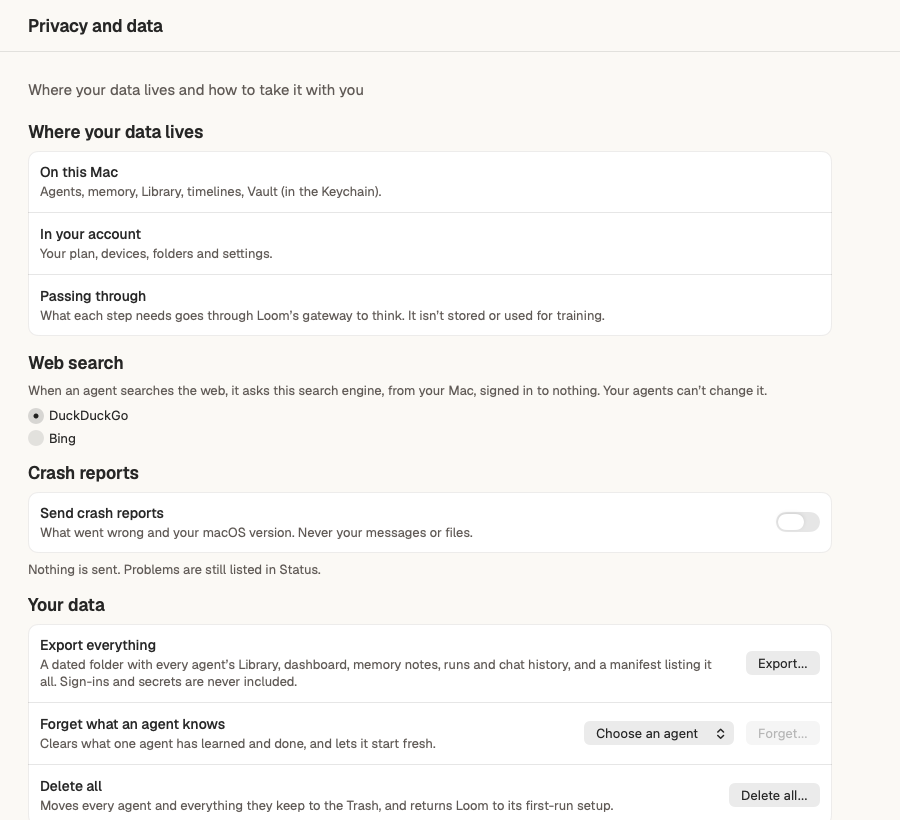
- Anonymous usage stats, which screens and features you use, not linked to your account. On by default; switch it off in Settings › Privacy and data.
- Crash reports, only if you switch them on: what went wrong and your macOS version. Report an issue and Report this reply send only when you choose to, and show you what's sent first.
You stay in charge
- Approvals. Sending, posting, paying, deleting and signing in somewhere new ask you first, unless you've said otherwise.
- Site rules. For each website, choose whether an agent may look, fill in forms, or submit.
- Everything is recorded. Activity shows every step every agent took, and what each run cost.
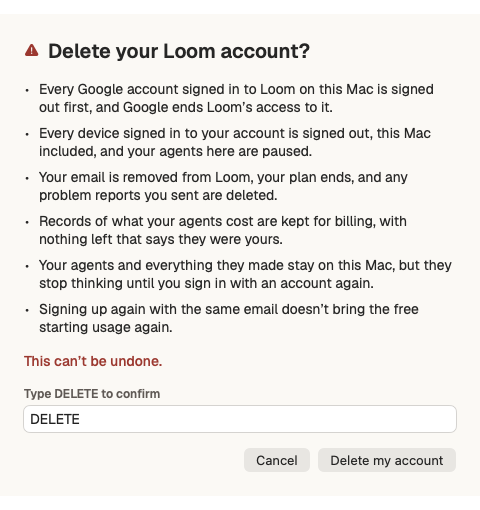
- Delete any time. Forget what an agent knows, delete everything on your Mac, or delete your account, from Settings.
How Loom compares
| Question | Loom | Muse (Meta) | Dots (OpenAI) | Grok Bot (xAI) | ChatGPT agent (OpenAI) | Comet (Perplexity) | Manus |
|---|---|---|---|---|---|---|---|
| Where does the agent's browser run? | A built-in browser on your own Mac, on your connection. | A virtual machine in Meta's cloud; a Mac app can also reach local files.1 | Its own cloud computer and browser; local computer access is optional.2 | A persistent cloud computer, hosted by Cursor.3 | A browser on a separate computer in the cloud.4 | The Comet browser on your device; context is sent to Perplexity when a request needs it.5 | A cloud browser; an optional Browser Operator runs in your own browser.6 |
| Are your sign-ins or cookies kept on their servers? | No. Website sign-ins stay on your Mac; secrets are in its Keychain. | Usernames and passwords are kept in Meta's credential store; cookies and sessions: Not stated.1 | Sign-ins are passed to the browser without the model seeing them; whether sessions are kept on servers: Not stated.7 | Browser sessions and app logins persist on the cloud computer.8 | Cookies and signed-in sessions persist in the agent's browser; sign-in credentials are not stored.9 | Cookies, site data and passwords stay local by default.5 | With your consent, encrypted session data is uploaded to Manus storage; passwords are not stored.10 |
| How long are conversations kept? | On your Mac, until you delete them. Our service keeps no message text. | No period stated; deleted content may still be remembered by Muse.11 | For as long as you keep the dot.7 | Follows Cursor's terms.12 | Until you delete them; then removed within 90 days.9 | Context used in a request: up to 30 days.5 | Inactive cloud data recycled after 7 days (Free) or 21 days (paid).13 |
| Is your data used to train models? | No. | Yes by default; turn off in Settings › Data controls.1 | Personal plans follow the “Improve the model for everyone” setting.7 | Follows Cursor's account and privacy settings.12 | May be, on individual plans; turn off “Improve the model for everyone”.14 | “AI data retention” is on by default; turn it off in Preferences.15 | “We do not use your data to train models.”10 |
| Can people review your content? | We don't keep your conversations, so there's nothing to review, except reports you send us. | Not stated for conversations; Meta may monitor and review Muse's actions.16 | Yes, in limited circumstances, including safety.7 | Not stated.12 | Yes, a limited number of authorized staff and service providers.9 | Not stated.17 | Not stated.18 |
| Other AI providers involved? | Cloudflare runs the models; no other AI provider. | Not stated.16 | Service providers, not named.7 | Cursor hosts it; model providers, not named, keep no prompts.3 | Trusted service providers, not named.9 | Yes; names OpenAI and Anthropic, which may not train on its data.19 | Yes; names Anthropic, Google and OpenAI.10 |
| How do you delete your data? | In the app: forget an agent, delete everything on your Mac, or delete your account. | Delete items, reset Muse, or delete your Meta account.11 | Reset or delete the dot; individual memories can't be deleted.20 | Delete the account (restorable for 30 days); deleting a Bot doesn't remove its computer's files or sessions.3 | Delete chats, or the account (data deleted within 30 days).21 | Delete the account; deleted within 30 days.22 | Delete the account, or email Manus; some data may be kept for legal reasons.18 |
Compiled from each company's public documents, read on 19 October 2026, for their consumer or individual plans. Policies change, and business plans often differ. Where a document doesn't say, we write “Not stated”. Loom's column is from our privacy policy. Corrections are welcome at [email protected].
Sources
- https://www.meta.com/help/artificial-intelligence/1047255454427887/, read 19 October 2026
- https://openai.com/index/introducing-dots/, read 19 October 2026
- https://docs.x.ai/grok-bot/security, read 19 October 2026
- https://help.openai.com/en/articles/20001280-using-cloud-browser-in-chatgpt, read 19 October 2026
- https://www.perplexity.ai/help-center/comet/en/articles/12867415-comet-assistant-privacy-data-use, read 19 October 2026
- https://manus.im/docs/features/cloud-browser, read 19 October 2026
- https://help.openai.com/en/articles/20001529-dots-privacy-security-and-safety-faqs, read 19 October 2026
- https://docs.x.ai/grok-bot/overview, read 19 October 2026
- https://help.openai.com/en/articles/11752874-chatgpt-agent, read 19 October 2026
- https://manus.im/help/cloud-browser, read 19 October 2026
- https://www.meta.com/help/artificial-intelligence/2225571704857152/, read 19 October 2026
- https://docs.x.ai/grok-bot/approvals-security-and-privacy, read 19 October 2026
- https://trust.manus.im/faq, read 19 October 2026
- https://help.openai.com/en/articles/5722486-how-your-data-is-used-to-improve-model-performance, read 19 October 2026
- https://www.perplexity.ai/help-center/en/articles/11564572-data-collection-at-perplexity, read 19 October 2026
- https://muse.ai/terms, read 19 October 2026
- https://www.perplexity.ai/hub/legal/comet-privacy-notice, read 19 October 2026
- https://help.manus.im/en/articles/11711823, read 19 October 2026
- https://www.perplexity.ai/help-center/en/articles/10354963-are-third-party-model-providers-training-on-my-data, read 19 October 2026
- https://help.openai.com/en/articles/20001530-getting-started-with-your-dot, read 19 October 2026
- https://help.openai.com/en/articles/6378407-how-to-delete-your-account, read 19 October 2026
- https://www.perplexity.ai/help-center/en/articles/10354879-account-deletion, read 19 October 2026